
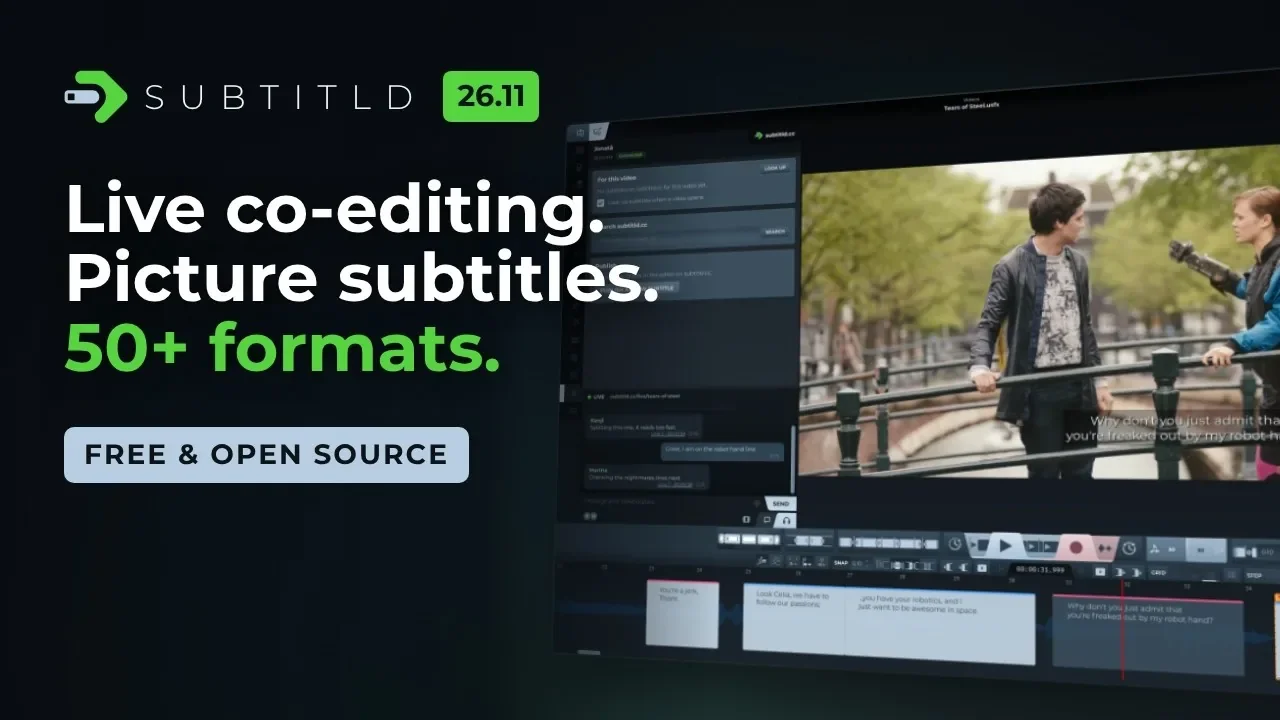
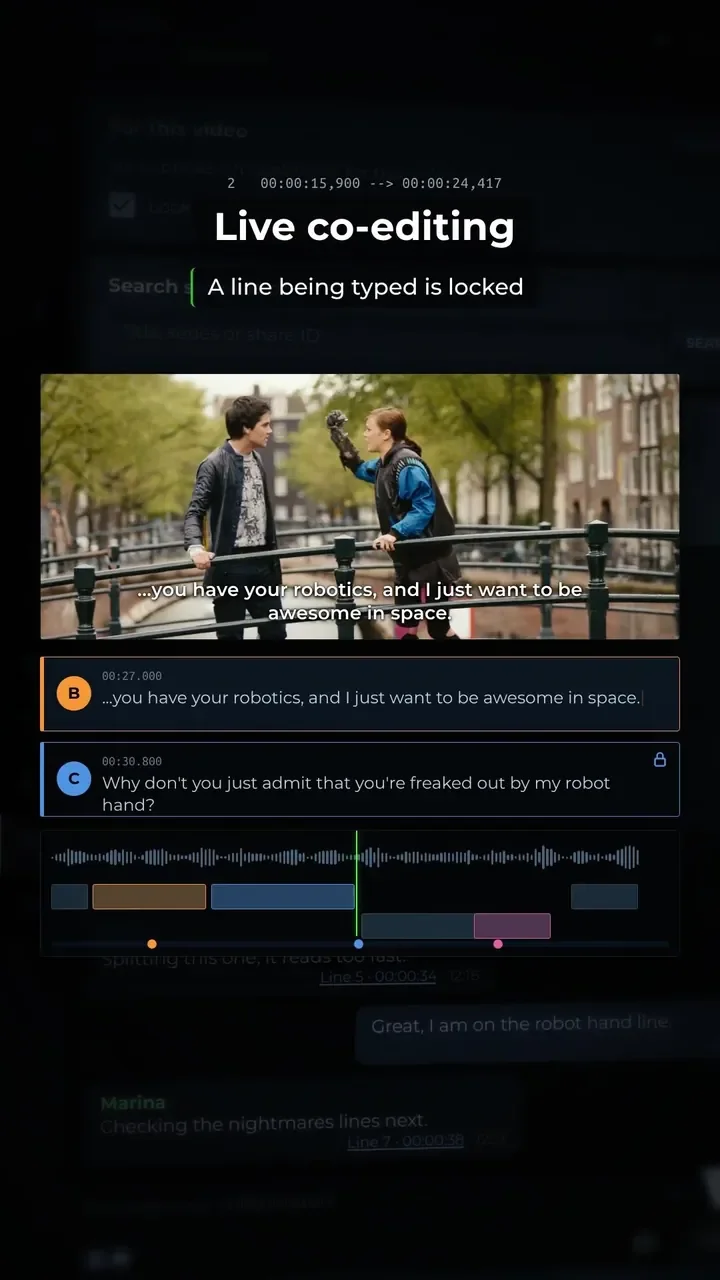
Live co-editing
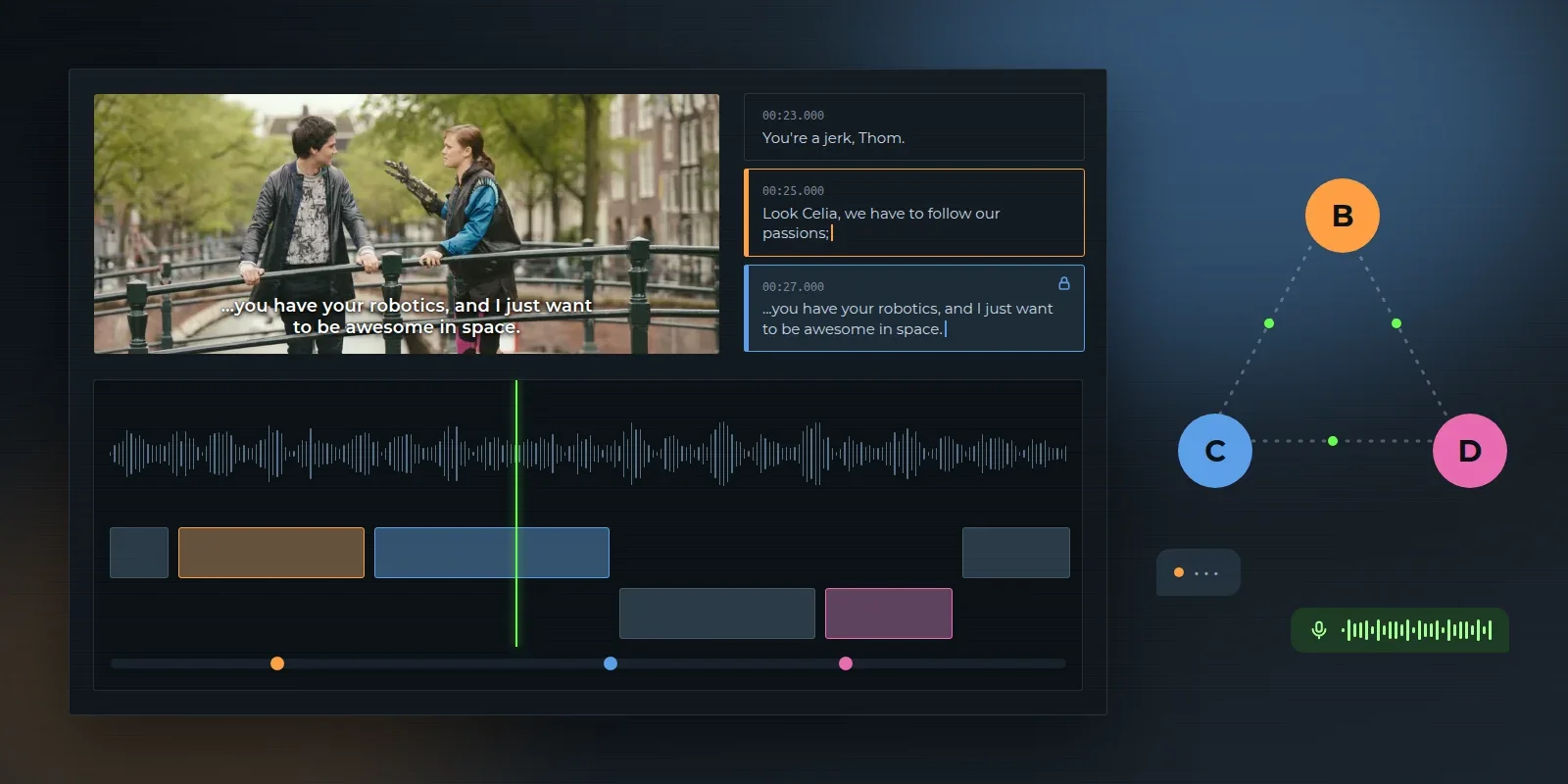
Edit one project together, at the same time, through subtitld.cc.
- ShareShare a project, or open one shared with you, from the subtitld.cc panel. Changes made offline are sent when the connection is back, and publishing a shared project credits everyone.
- TogetherCollaborators show in their own colours, on the lines and on the timeline. A line someone is typing in is locked for the others, and crossed edits are listed to settle.
- Chat and callA chat that subtitld.cc passes on but never keeps, and a push-to-talk voice call on the system's default microphone and speakers.
- MediaThe video, waveform, stems and dubs go straight between collaborators, never through the server.
- LinksA
subtitld://link from subtitld.cc opens a shared project straight in Subtitld. A second Subtitld hands the link to the one already running.
A new look
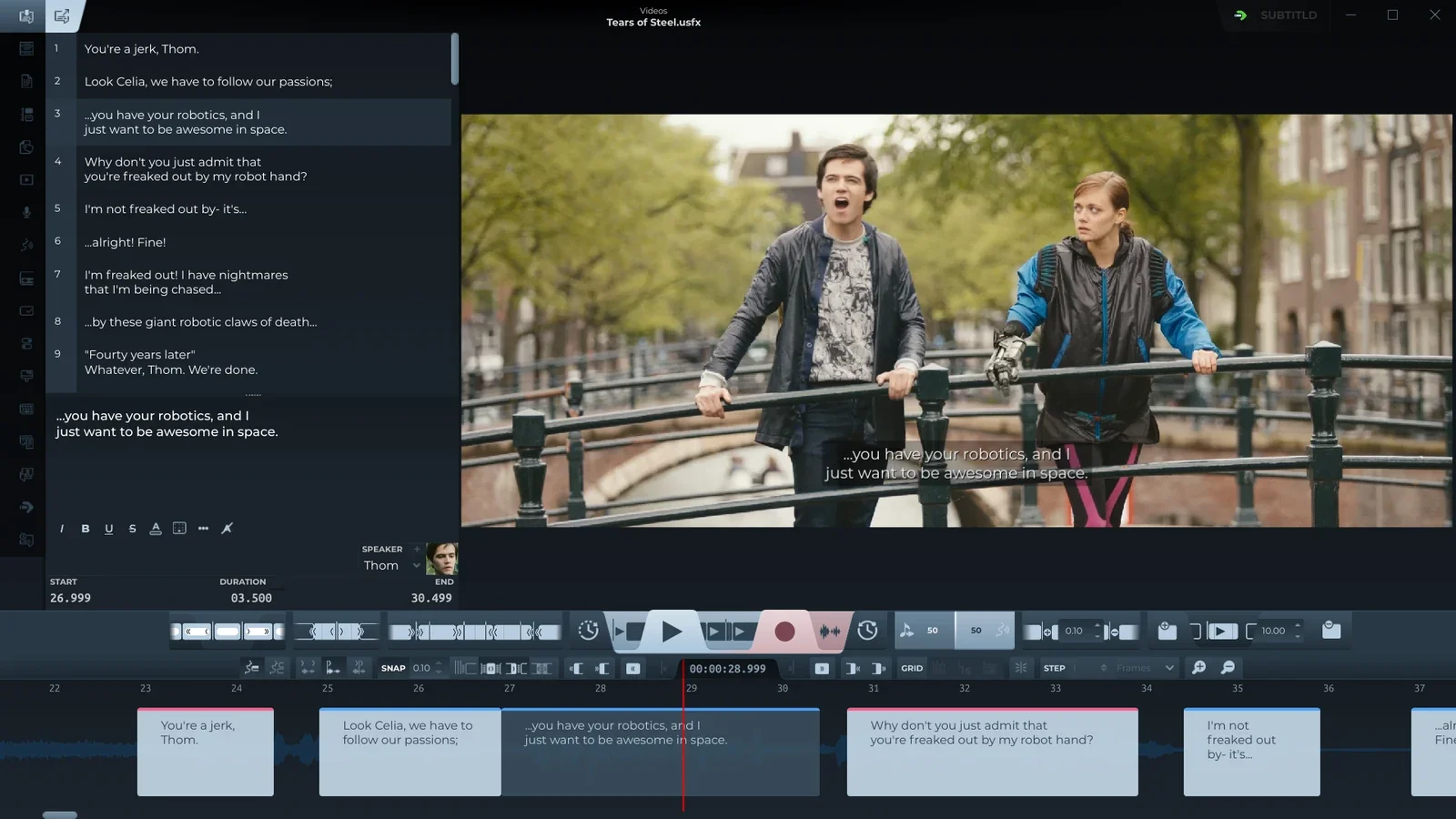
Subtitld has a new design, the same in every panel and dialog.
- Depth, not linesNo borders: buttons stand out, fields sink in, and panels are told apart by their shade. Every control is 26px tall, with 3px corners.
- Slanted tabsTabs, headers and corner buttons share one slant, and sit flush with the edges of what holds them.
- Less in the waySecondary actions (remove, edit, open, disconnect) show only while the pointer is over their card or row, and icon buttons stay faded until pointed at.
- subtitld.cc panelYour account always in view at the top, and live co-editing in a bar at the foot: the call, the chat as message bubbles, and who the project is shared with.
Picture subtitles, read as text
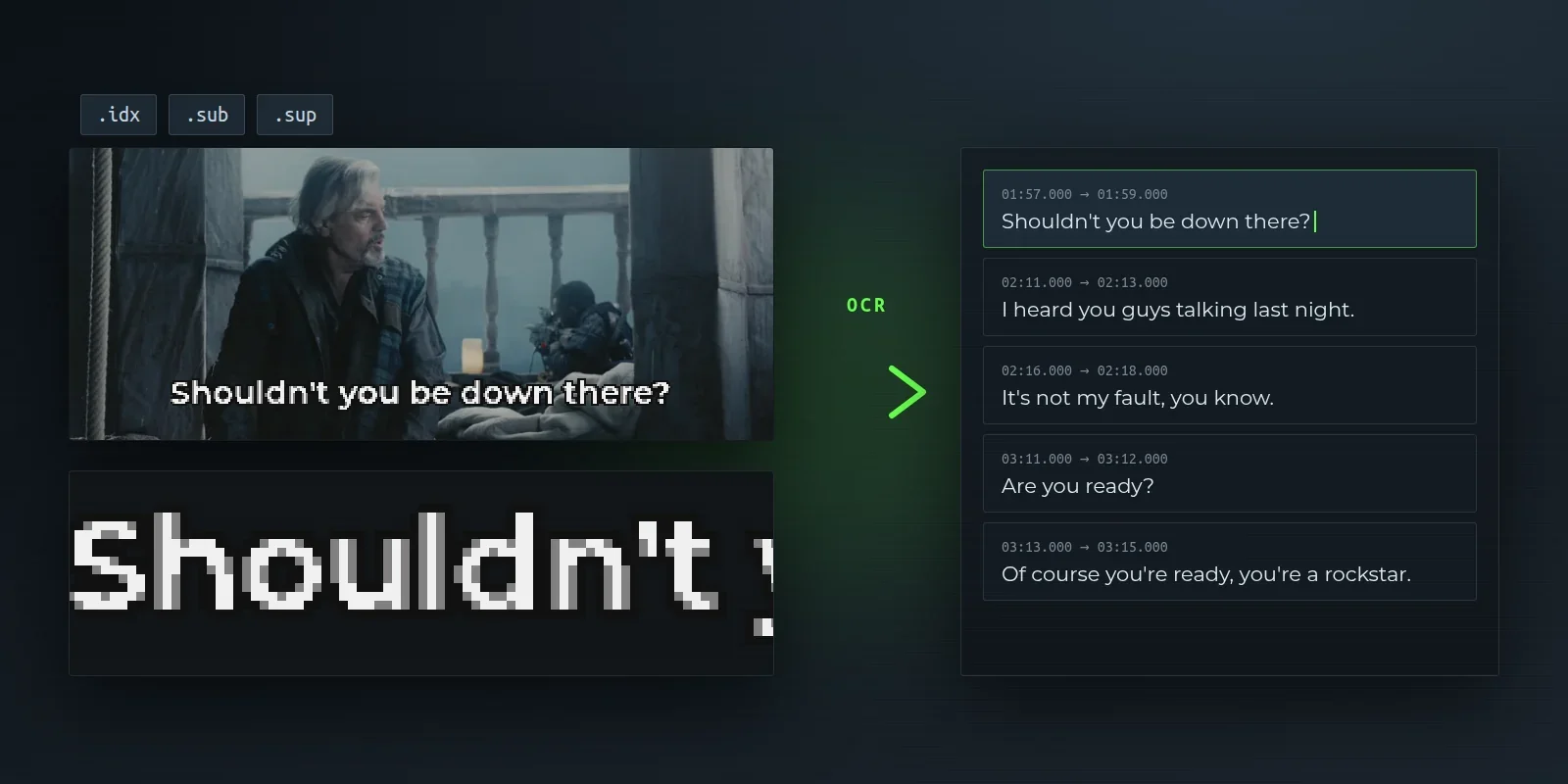
DVD and Blu-ray subtitles are pictures, not text. Subtitld now reads them with an OCR add-on, Tesseract OCR or PP-OCRv5.
- FilesVobSub (.idx/.sub) and PGS (.sup) ask for the language, then are read with a progress bar you can stop.
- TracksThe picture tracks inside a video can be chosen in the Import panel.
- SavingSubtitld asks for a project instead of writing over the pictures.
Anywhere on the picture
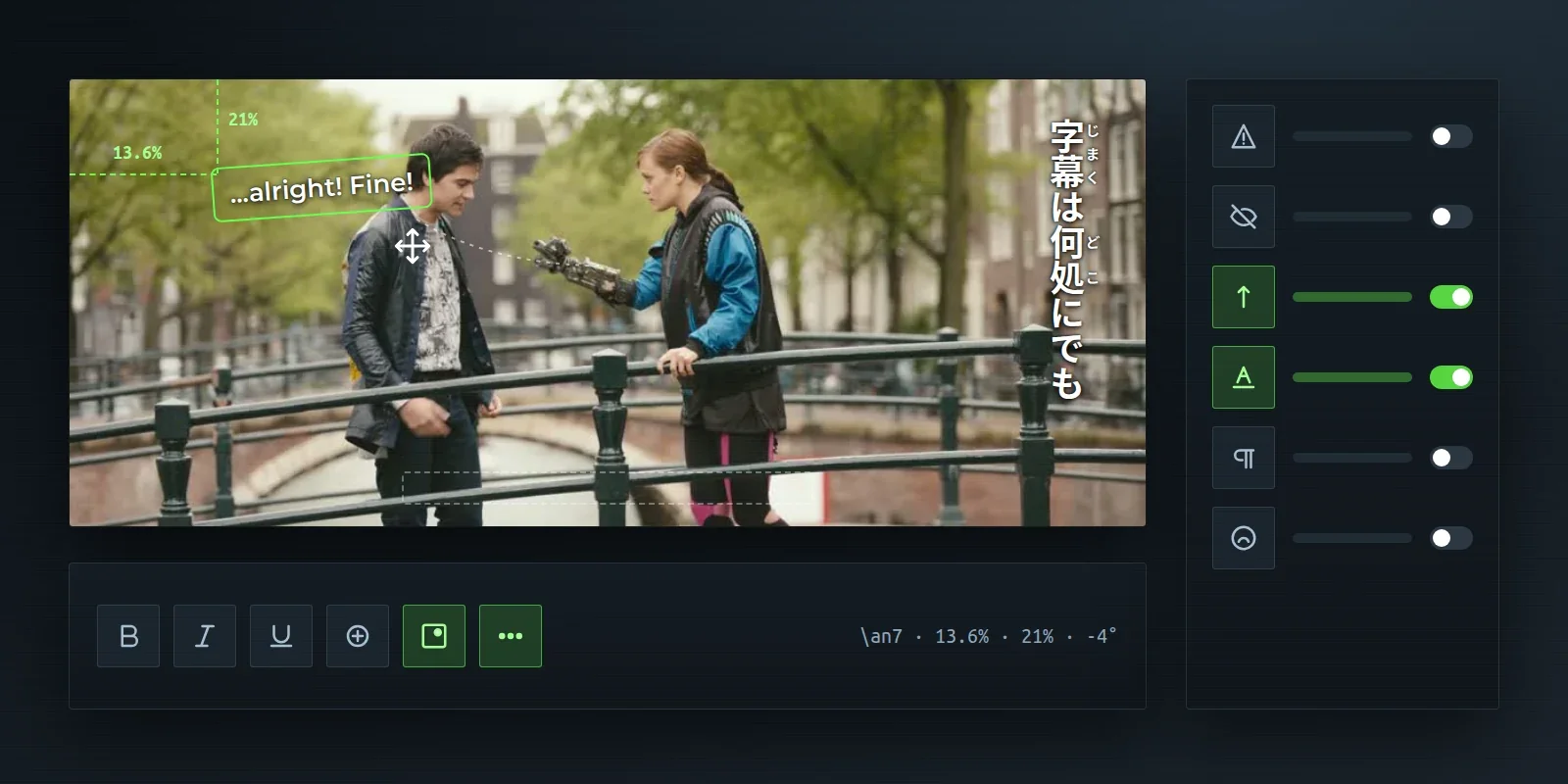
- PositionA subtitle can sit anywhere, not only in the nine places: drag it in the paused preview (Shift keeps it on one axis) or set its margins and rotation in the position menu, one undo step each. USF, TTML, ASS and CEA-708 keep the place.
- Subtitle menuA new ••• button in the formatting bar: forced, hidden, vertical writing, and the look a file gave the subtitle. It lights up when the subtitle is anything but ordinary.
- Vertical and rubyVertical writing, ruby readings, emphasis marks and upright numbers: read, drawn and kept in the project.
- Right to leftA subtitle's direction is read and written in TTML, and punctuation lands where it should.
More than fifty more formats
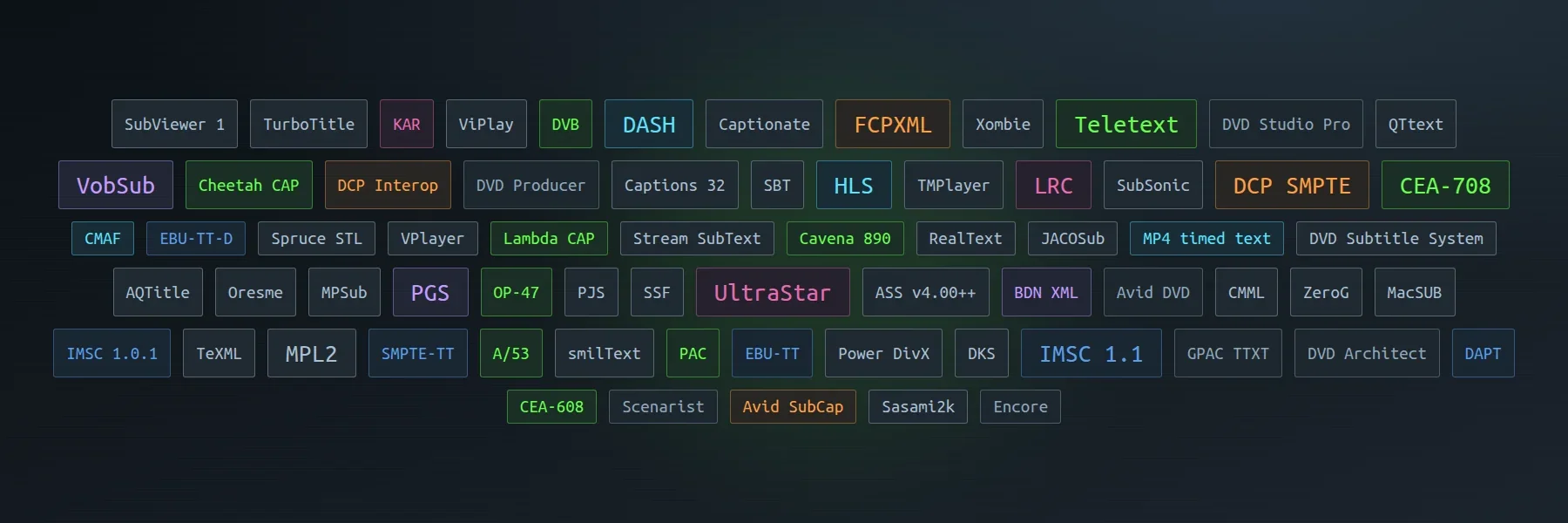
- Player era31 formats of the player and fansub era, among them MPL2, TMPlayer, JACOSub, RealText, Spruce STL, PJS and SubViewer 1, and ASS v4.00++ scripts. Files that share an extension (.sub, .stl, .txt, .xml, .smi) are told apart by what is in them.
- KaraokeLRC and enhanced LRC, UltraStar and KAR, with word and syllable timing kept, and exported to ASS as karaoke.
- Editing and cinemaAvid SubCap, Final Cut Pro XML and DCP subtitles (Interop and SMPTE), with frame rates, drop-frame and timelines that start at 01:00:00:00.
- PicturesVobSub, PGS, BDN XML and DCP written as pictures, drawn by the preview.
- MoreGPAC TTXT, and the scripts of DVD Studio Pro, Encore, DVD Architect, Scenarist, DVD Producer and Avid DVD.
- About the fileA subtitle file's title, description and copyright are kept in the project and written again on export; a file's own title wins over the video's name. ASS brings its look in, and takes it back out.
Broadcast and streaming
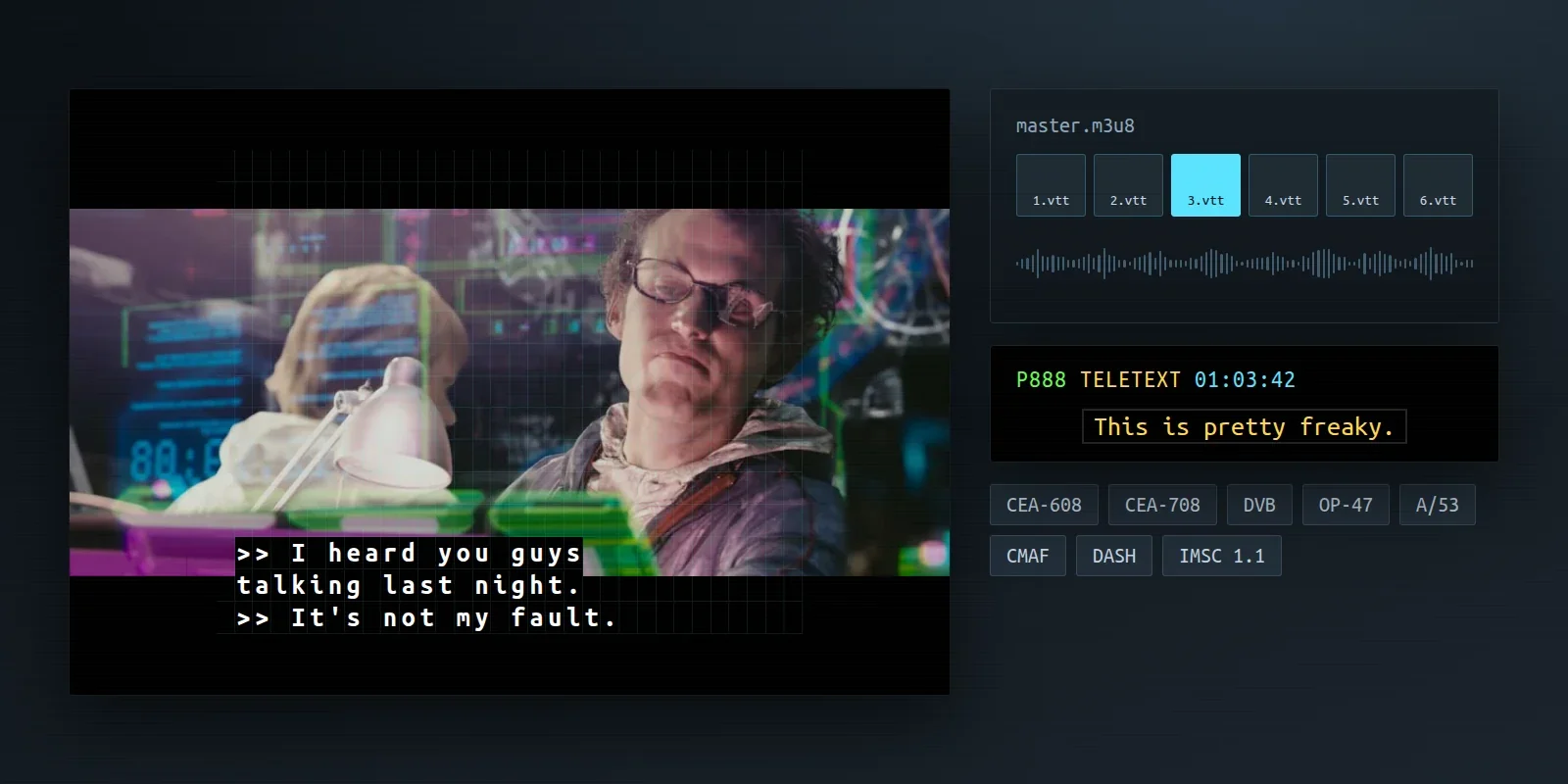
- CEA-608 and 708Written as well as read: pop-on, roll-up and paint-on, any channel or service, into a QuickTime caption track, an MXF or the video's frames. A subtitle's place goes into the caption window.
- BroadcastTeletext, DVB, OP-47, A/53, Cheetah and Lambda CAP, Cavena 890 and Screen PAC.
- StreamingHLS segmented WebVTT, and WebVTT or TTML in fragmented MP4 for CMAF and DASH. The video export can carry the subtitles as a track of their own (MP4 timed text, or SRT or ASS in Matroska).
- TTMLIMSC 1.0.1 and 1.1 complete, text and image profiles, with a profile to declare on export and a check of what the file would break. Also SMPTE-TT, EBU-TT and EBU-TT-D, and DAPT dubbing scripts read into a dubbing session.
The export dialog
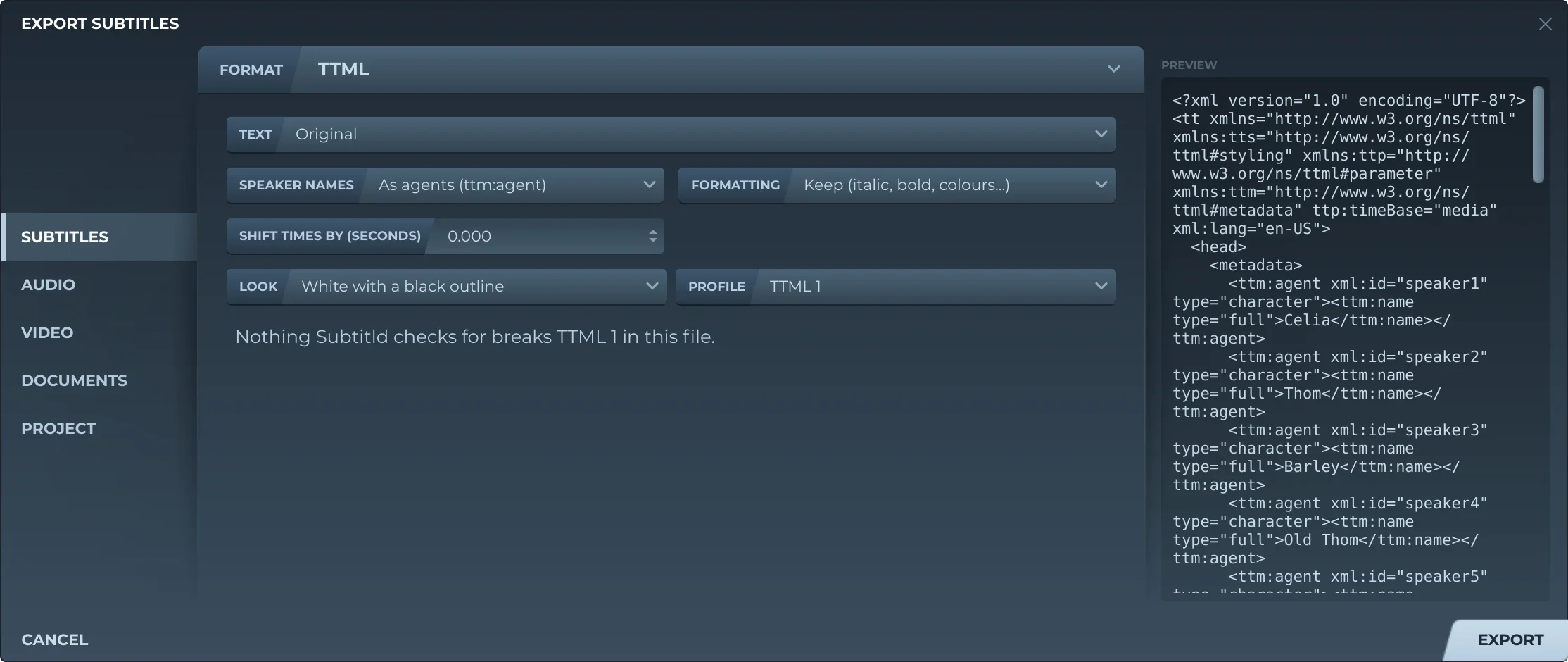
Every page of the export dialog now shows what it will write, and two pages are new.
- PreviewFor subtitles, the start of the file each format and option writes. For pictures (VobSub, PGS, BDN, DCP), the subtitle under the cursor drawn on its frame. For video, a few seconds around the subtitle under the cursor, written in the background.
- VideoThe formats in one list, and under each how the subtitles go in: as captions or a track of their own, burned in, or alone on a transparent video (ProRes 4444, WebM VP9).
- AudioLength, size and the files written; the loudness, measured as EBU R128 does, against the common targets; and clipping, subtitles without speech and speech files gone missing, flagged.
- DocumentsNew: a transcript, a script, a translation sheet or a dubbing script, as CSV, plain text, Word, OpenDocument or PDF, with the times, speakers and title you choose. CSV also writes Adobe Audition's markers.
- ProjectsNew: a project for another program, with the video, a track for each speaker with their dubbed speeches, and the subtitles. Kdenlive, Shotcut, OpenShot, Audacity, Ardour, and Final Cut Pro and DaVinci Resolve as FCPXML. The preview shows the tracks, and what won't carry over.
Add-ons
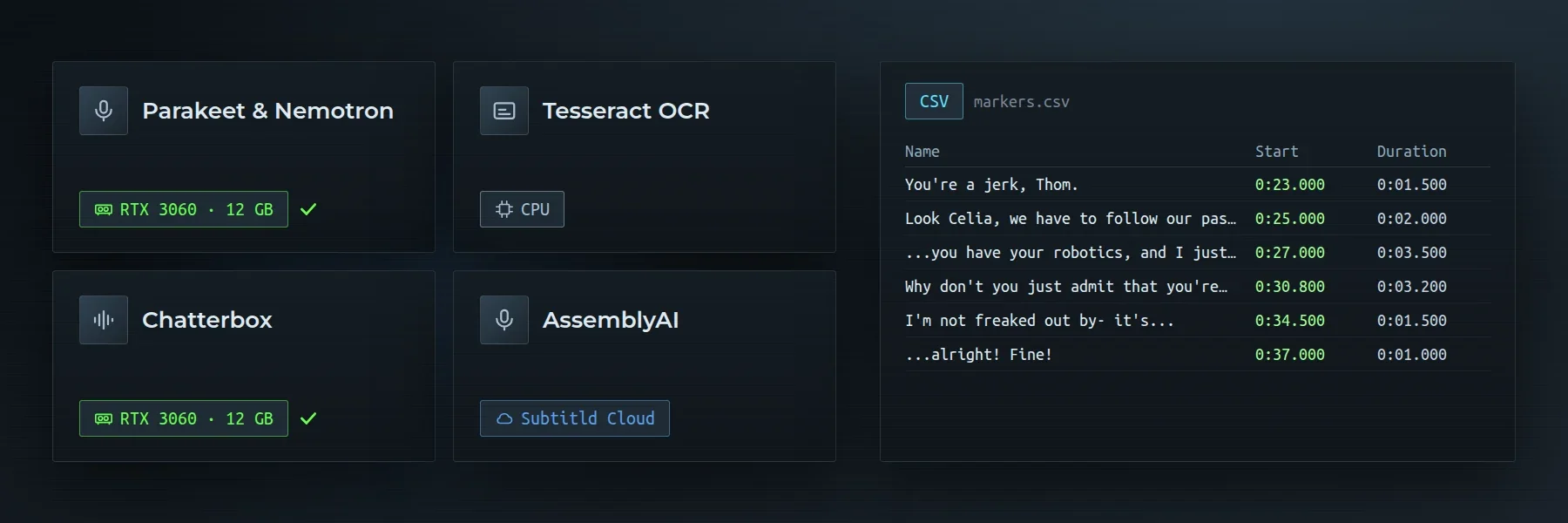
- HardwareEach add-on says what it runs on, and the panel shows whether this computer has the graphics card for it.
- CatalogSubtitld offers only the add-ons this version can run.
- VoicesMulti-speaker voices let you pick the speaker inside them, and lines follow a speaker's new voice after "Generate all speeches".
Improved and fixed
- The preview draws subtitles with a new engine. They look as before; it redraws as soon as a setting changes, and a subtitle whose font was still loading is no longer left blank.
- The timeline has a shot changes grid: the video's cuts, found by FFmpeg in the background, and subtitles snap to them.
- Repeat playback loops as many times as you set, and a seek starts it over.
- A subtitle opens in Subtitld from its subtitld.cc link.
- New add-ons this month: Tesseract OCR and PP-OCRv5 for picture subtitles, Audio8, Scylla's Band and Paradee for voices, Parakeet & Nemotron, AssemblyAI and Vosk for transcription.
- Run from an AppImage, Subtitld asks once to join the applications menu, and follows the AppImage when it moves.
- A waveform cache that comes in a .usfx or from a collaborator can no longer run code when the timeline loads it.
- Accessibility: readable contrast on the dark panels, tooltips that say what buttons do, and a name for every button that shows only an icon.
- Saving a project reaches the disk before it replaces the old file, and paths inside a project can't point outside it.
- After signing in to subtitld.cc, the browser's last page is in Subtitld's theme and language.
- Brazilian Portuguese has every string.
- The preview shows the first frame, not the next keyframe, after the sound takes over.
- Quitting while a project is still opening no longer crashes.
- Subtitld starts, silent, when the sound system itself can't.
- A video the player can't decode offers a proxy.
Packaging
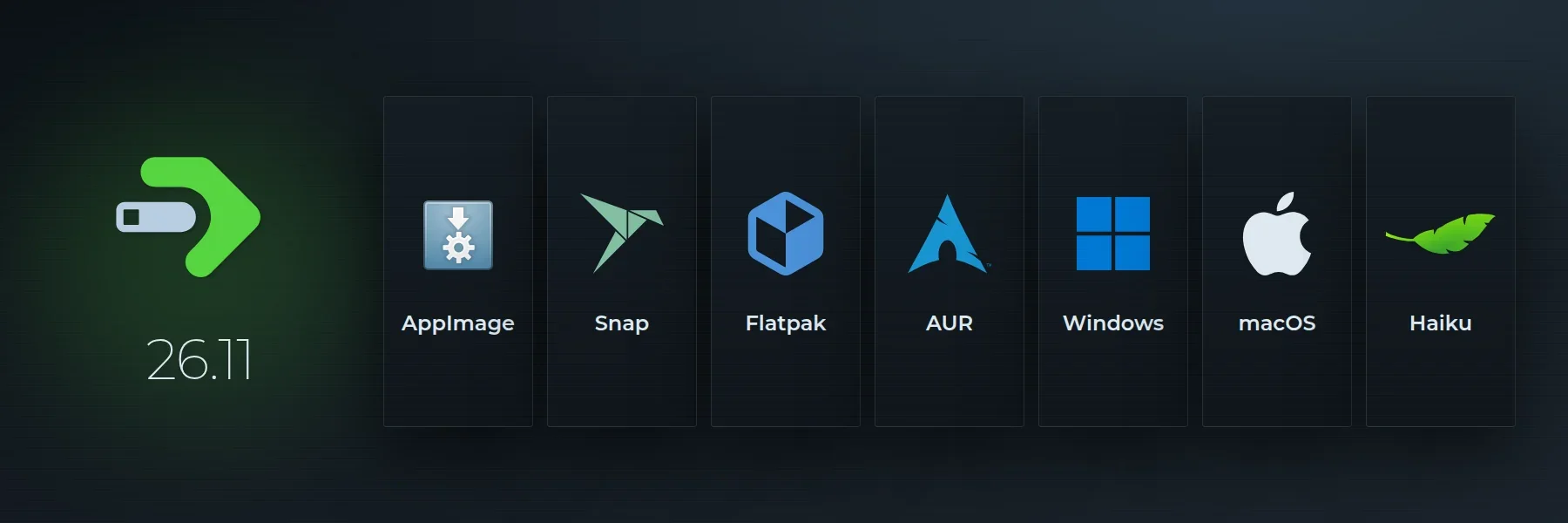
| System | What changed |
|---|---|
| All | Live co-editing's libraries and libopus, for the voice call, in every package. Python 3.14 for the Windows, macOS and AppImage builds. |
| AppImage | AV1 videos show, with FFmpeg built with dav1d, and the system's libstdc++. Opens without libfuse2. |
| Snap | AV1 videos show, with FFmpeg 7.1.5 and dav1d; the window opens on Wayland. |
| Windows | subtitld:// links open in Subtitld, from the installer and the MSIX. |
| Haiku | Subtitld now ships from its own package repository, hpkg.subtitld.org, with Python 3.14, since HaikuPorts closed the pull requests. |
| Linux | AppImage, Flatpak, Snap and AUR carry QtWebEngine, which the new subtitle engine draws with. |