
SubRip
The simplest subtitle format there is, and the one almost everything plays: numbered blocks of text, each with a start and an end time. No header, no styling to speak of, no official way to place a line. That is why it is everywhere.
At a glance
| Extension | .srt |
|---|---|
| Media type | application/x-subrip (unregistered) |
| Specification | None. Defined by what players accept. |
| Time precision | Milliseconds |
| Text encoding | Not declared in the file. UTF-8 is the safe choice; a byte order mark helps some older players and TVs. Subtitld detects older encodings when it opens one. |
| Styling | Italic, bold, underline, strikeout and colour, through unofficial tags |
| Positioning | None in the format. {\an8} and its kin, borrowed from SubStation Alpha, are widely read. |
| In containers | Matroska as S_TEXT/UTF8; converted to mov_text for MP4 |
Anatomy of a subtitle
A file is a list of blocks. Each block has four parts, always in this order.
3
00:00:27,000 --> 00:00:30,500
...you have your robotics, and I
just want to be awesome in space.
- 1 · Counter
A number, starting at 1. Required, though most players ignore it.
- 2 · Timing
Start, the arrow
-->, end. Spaces around the arrow. - 3 · Text
One or more lines. Two is the usual limit for reading.
- 4 · Blank line
Ends the block. Without it, many players read the next counter as text.
The timecode
A comma, not a period. 00:00:27.000 is WebVTT's way of writing it. Some players forgive the period; strict ones refuse the file. It is the most common reason an SRT "won't open". Subtitld reads either, and always writes the comma.
Formatting tags
None of these are part of a standard, but players have agreed on them over the years. Use them sparingly; not every platform shows them.
| Tag | Effect | Support |
|---|---|---|
<i>…</i> |
Italic, for voices off screen | Almost everywhere |
<b>…</b> |
Bold | Most desktop players |
<u>…</u> |
Underline | Most desktop players |
<s>…</s> |
Strikeout | Some desktop players, VLC and mpv among them |
<font color="#ffd700"> |
Text colour, as a hex code or a name | Desktop players; often ignored online |
<font face="…" size="…"> |
Font and size | A few desktop players |
{\an8} |
Move to the top, borrowed from SubStation Alpha | VLC, mpv and others |
Placing a line
{\an1} to {\an9} place a line the way a numeric keypad is laid out. The code goes at the very start of the subtitle's text.
| Left | Centre | Right | |
|---|---|---|---|
| Top | {\an7} |
{\an8} |
{\an9} |
| Middle | {\an4} |
{\an5} |
{\an6} |
| Bottom | {\an1} |
{\an2}, the default |
{\an3} |
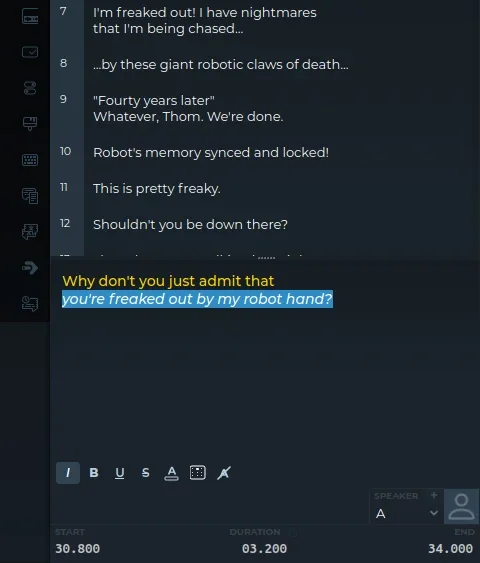
Opening a damaged SRT
SRT files come from everywhere, and many bend the convention. Subtitld finds each subtitle by its timing line rather than by the blank lines, so it opens files with:
- any encoding: UTF-8 with or without a byte order mark, UTF-16, or an older one such as Windows-1252;
- a period instead of the comma, one-digit hours, fewer or more than three decimals, or a short arrow (
->); - missing counters, missing or extra blank lines, or a blank line inside a subtitle;
- the coordinates some tools write after the end time;
- subtitles out of order, which it puts in order.
SRT in Subtitld
- Every subtitle's text and line breaks
- Italic, bold, underline, strikeout, colour and position
- Start and end, to the millisecond
- The order of subtitles
- Speakers, their faces and colours (their names can go before the text)
- Translations beside the original (one can take its place, or go below it)
- Dubs and metadata
Save a .usfx project to keep them.
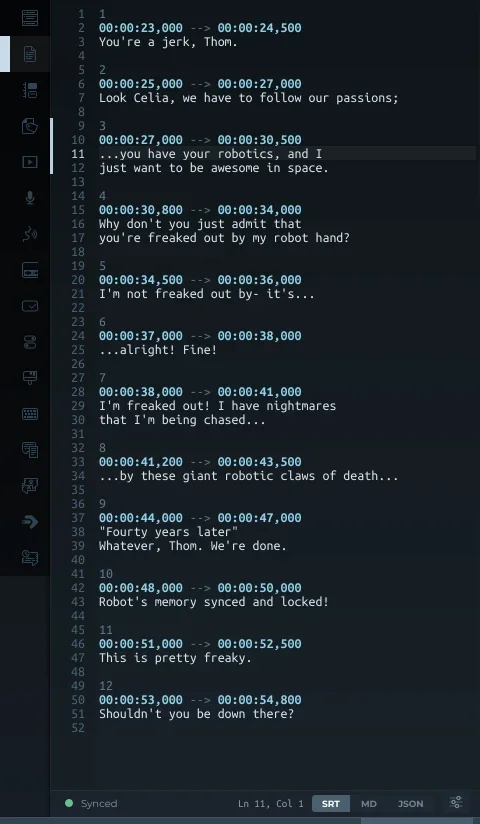
Exporting SRT
Export, then Subtitles and SRT, offers:
- TextThe original, a translation, or both, the translation below.
- Speaker namesLeft out, or before the text (Thom: …).
- FormattingKept, or removed for platforms that show the tags as text.
- Shift timesEvery subtitle earlier or later by the same amount.
- EncodingUTF-8; with a byte order mark, for older players and TVs; UTF-16; or Windows-1252.
- Line endingsLinux and macOS (LF), or Windows (CRLF).
Whatever the options, the file is plain SubRip: the subtitles in order of start, numbered from 1, with a comma before the milliseconds. Empty subtitles are left out, and so is a blank line inside one, which would end it early in most players.
SRT or WebVTT?
| SubRip .srt | WebVTT .vtt | |
|---|---|---|
| First line | The first counter | WEBVTT |
| Milliseconds | After a comma | After a period |
| Counter | Required | Optional cue name |
| Position | {\an8} and its kin, unofficially |
Cue settings: line, position, align |
| Styling | Unofficial tags | Tags, and CSS through ::cue |
| Speakers | Only as part of the text | Voice tags: <v Thom> |
| In web browsers | Needs converting | Native, with <track> |
| Pick it for | Players, editors, uploads | Video on the web |
Trivia
The format is named after SubRip, a Windows program that read the subtitles off DVDs with OCR and wrote them out as text.
WebVTT began life under that name, as SubRip adapted for the web, before it grew a header, cue settings and CSS.
No body ever published a specification. The comma, the arrow and the blank line are a convention that held for a quarter of a century.
Related formats
Open it in Subtitld with the video and retime it on the waveform.