
Presentation Graphic Stream
A Blu-ray's subtitles: pictures in up to 256 colours, each with its own opacity, placed on the frame from a time on. A .sup is that stream on its own, as tools copy it off a disc. Subtitld opens one with an OCR add-on, which reads the words in the pictures, and draws your subtitles as pictures to save one.
At a glance
| Extension | .sup |
|---|---|
| Media type | None registered |
| Specification | The Blu-ray Disc Association's BD-ROM specification, for its members. Tools that read it follow what others have worked out. |
| Time precision | A tick of a 90 kHz clock |
| Text encoding | None: the words are pixels |
| Styling | Whatever was drawn, in a palette of up to 256 colours, each with an opacity |
| Positioning | Anywhere on the frame, in pixels |
| Speakers | None |
| In containers | A Blu-ray's M2TS files, and Matroska tracks |
Anatomy of a file
A run of segments, each with the same 13-byte header. The segments that put a subtitle on screen make a display set, which an END segment closes.
PG 00 1F 95 F0 00 1F 7E 5D 16 00 13 07 80 04 38 10 …
PG … 17 … window
PG … 14 … palette
PG … 15 … object: the picture
PG … 80 00 00
- 1 · Sync and length
PGbegins every segment. The length of what follows comes after the type: here 19 bytes. - 2 · Times
When to show it, then when to start decoding it, in ticks of 90 kHz: 2,070,000 is 23 seconds.
- 3 · Type
16composition,17window,14palette,15object,80end of the display set. - 4 · Segment
What the type says: the composition's below, the others in the table after it.
A composition, byte by byte
The composition above, whole. It says what is on screen from its time on.
| Bytes | What they are |
|---|---|
07 80 04 38 |
The frame 1920 × 1080 |
10 |
Frame rate 23.976 |
00 00 |
Its number The first composition |
80 |
State An epoch starts: a decoder may begin here, and forgets what came before |
00 00 |
Palette Not an update of the one shown; palette 0 |
01 |
Objects One is shown |
00 00 00 |
Object 0, in window 0 |
00 |
Flags Not cropped, not forced (40 is forced) |
02 F8 03 C0 |
Where 760 pixels across, 960 down |
| Segment | What it holds |
|---|---|
| Window | Rectangles on the frame the objects are drawn in |
| Palette | Up to 256 entries: Y, Cr, Cb and an opacity |
| Object | A picture, its width and height, its pixels run-length coded, a byte each; split over segments when large |
| End | Nothing: the display set is complete |
A composition with no objects clears the screen. Each one holds until the next.
Two at most. A composition shows two objects at once, which is how a disc puts a sign at the top while a line of dialogue sits at the bottom.
PGS or VobSub?
| PGS | VobSub | |
|---|---|---|
| From | Blu-ray | DVD |
| Files | .sup |
.idx and .sub |
| Colours in a picture | Up to 256 | 4 of a palette of 16 |
| Frame | The video's, up to 1920×1080 | 720×576 or 720×480 |
| Language | Not in the file | In the .idx |
PGS in Subtitld
- Every subtitle, as the preview draws it: its text, line breaks, formatting, colours and place
- Up to 255 colours a subtitle, with their opacity
- Forced subtitles, shown even with subtitles turned off
- Start and end, to the 90 kHz tick
- The text itself: a player shows pictures, and reading them back takes OCR
- The language: a
.supdoes not say it - Two subtitles at once, which become one picture
- Translations beside the original, dubs, speakers' names and faces
Save a .usfx project to keep what is Subtitld's.
Opening a PGS file
The words are pixels, so an OCR add-on reads them: Tesseract OCR or PP-OCRv5, from the Add-ons panel. Without one, Subtitld says which to install.
Open the .sup. A .sup does not say its language, so Subtitld asks, the project's language already chosen, and Read starts the reading. It reads:
- each composition as a subtitle, until the next composition, its objects drawn into one picture;
- objects cropped as the composition crops them, and objects split over several segments;
- the palette's colours as BT.709 for HD frames, BT.601 below;
- forced objects as forced subtitles;
- a picture in the top part of the frame as a subtitle placed at the top.
Pictures read with little confidence are read again as dark letters on light. A subtitle the disc draws again and again, to fade it, is one subtitle. The subtitles are then saved as SRT unless you choose otherwise.
PGS tracks inside a video, an .m2ts or a Matroska file, are read from the Import panel: choose the Subtitles in the video engine, the track, then Read subtitles.
Exporting PGS
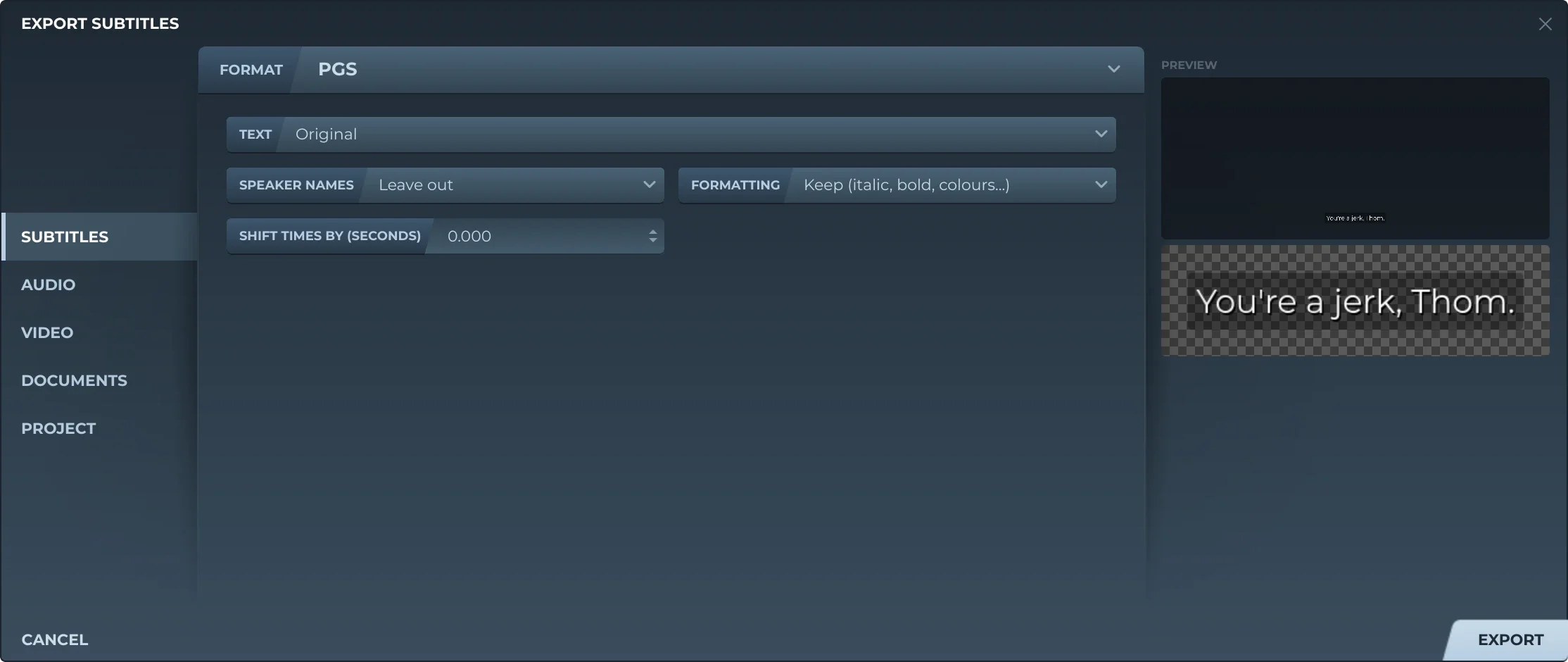
Export, then Subtitles and PGS, offers:
- TextThe original, a translation, or both, the translation below.
- Speaker namesLeft out, or before the text (Thom: …).
- FormattingKept, or removed.
- Shift timesEvery subtitle earlier or later by the same amount.
Each subtitle is drawn as the preview draws it, on a frame the video's size, else 1920×1080, and cut to the frame. Its colours are kept as they are when there are 255 or fewer, else the 255 nearest them. The frame rate is the one Blu-ray has nearest the video's: 23.976, 24, 25, 29.97, 50 or 59.94.
Each subtitle is an epoch of its own, which a player can start at: one object in one window as big as it. A composition with nothing in it clears it at its end, unless the next subtitle starts there and takes its place. Where subtitles overlap, the time they share is one picture with both on it, as tall as from the top of one to the bottom of the other, not two objects.
Trivia
The two bytes, 50 47, every segment of a .sup starts with. FFmpeg checks for them before it reads one.
The clock a PGS counts in, the one MPEG streams share: a subtitle can start between two frames.
Volker Oth released BDSup2Sub, which turns a .sup into VobSub or BDN XML and back. Subtitld writes BDN the way it does.
Related formats
Open it in Subtitld with the video and retime it on the waveform.