
Synchronized Accessible Media Interchange
Microsoft's captions for Windows Media Player, from 1998: HTML with a sync before each caption, and a style sheet whose classes are languages, so one file can hold several. Rarely seen elsewhere, it is still the usual subtitle file in Korea.
At a glance
| Extension | .smi |
|---|---|
| Media type | None registered |
| Specification | Microsoft, Understanding SAMI 1.0 (2001, updated 2003). Open, with no licence fees. |
| Time precision | Milliseconds |
| Text encoding | Not declared. Older Korean files are mostly CP949, newer ones UTF-8; Subtitld detects either. |
| Styling | HTML's inline tags and CSS: italic, bold, underline, strikeout, colour, fonts |
| Positioning | None on the picture: captions show in an area of their own |
| Speakers | A Source line (ID=Source), shown above the caption |
| Languages | Several in one file, one CSS class each |
| In containers | None. A file beside the video, with the same name. |
Anatomy of a file
An HTML document: a style sheet that names the languages, then a sync for each moment the captions change.
<SAMI><HEAD><STYLE><!-- .KRCC {lang:ko-KR;} .ENCC {lang:en-US;} --></STYLE></HEAD><BODY> <SYNC Start=23000> <P Class=KRCC>넌 정말 못됐어. <P Class=ENCC>You're a jerk. <SYNC Start=24500> <P Class=KRCC> <P Class=ENCC>
- 1 · Head
The style sheet: a class for each language, with its
langand aNameplayers show. The first class is the language players start with. - 2 · Sync
The moment, in milliseconds from the start of the video.
- 3 · Captions
A paragraph for each language. Each stays until the next sync that has one in its class;
blanks it.
Timing
A sync has a start and nothing else. A caption ends when the next caption in its language begins, or when a blank one does, so every pause needs a sync of its own.
Closing tags are optional. Microsoft's own sample closes neither <P> nor <SYNC>, and players read it either way. Windows Media Player may want the tags in capitals, as the sample writes them.
Styles
SAMI's text is HTML, and its style sheet CSS. A caption takes the style of P, then its class's, then its own style attribute, then the tags inside it.
| Written | Effect | In Subtitld |
|---|---|---|
<I>, <EM> |
Italic | Kept |
<B>, <STRONG> |
Bold | Kept |
<U>, <S>, <STRIKE> |
Underline, strikeout | Kept |
<FONT color="#FFD700"> |
Text colour | Kept |
color, font-style, font-weight, text-decoration |
The same, from the style sheet or a style |
Kept |
<BR> |
A line break | Kept |
<FONT face>, font-size, margin |
Font, size, spacing | Not kept |
<RUBY>…<RT> |
A reading above the text | The text kept, its reading not |
Languages
Each class is a language. Players offer them by their Name, show the first one defined until told otherwise, and show a paragraph with no class whatever the language. A Korean file can carry English beside the Korean, and the viewer chooses.
When Subtitld opens a file with several, the first language is the subtitles' and each other is a translation, on the subtitle it overlaps most. Exporting the original and a translation writes them back as two languages, with the translation's subtitles only where it has them.
Speakers
<SYNC Start=23000>
<P Class=ENCC ID=Source>Celia
<P Class=ENCC>You're a jerk.
A paragraph with ID=Source is not a caption. It names who speaks, in a line above the caption, and stays until another replaces it. Subtitld reads it as the speaker of each caption it is above, and writes speakers that way when asked.
Players differ here. FFmpeg, and the players built on it, show the Source line in italics above the caption. MPlayer runs it into the caption's first line. Names before the text (Celia: …) read the same everywhere.
SAMI in Subtitld
- Every subtitle's text and line breaks
- Italic, bold, underline, strikeout and colour
- Translations, as languages of their own
- Speakers, as Source lines
- Start and end, to the millisecond, in order
- Where a subtitle sits: SAMI has no place on the picture
- Fonts, sizes and margins
- Ruby's readings
- Dubs, speakers' faces and colours
Save a .usfx project to keep what is Subtitld's.
Opening a SAMI file
Subtitld opens .smi and .sami, and:
- reads SAMI as browsers read HTML: tags in capitals or not, closed or not, attributes quoted or not, syncs out of order, text outside a paragraph;
- takes each language: the first as the subtitles', the others as their translations;
- keeps italic, bold, underline, strikeout and colour, from the tags and from the style sheet;
- takes Source lines as speakers, ready for dubbing;
- ends the last caption where the file's
Metricssay the video does, or after four seconds; - decodes any encoding, CP949 among them.
Exporting SAMI
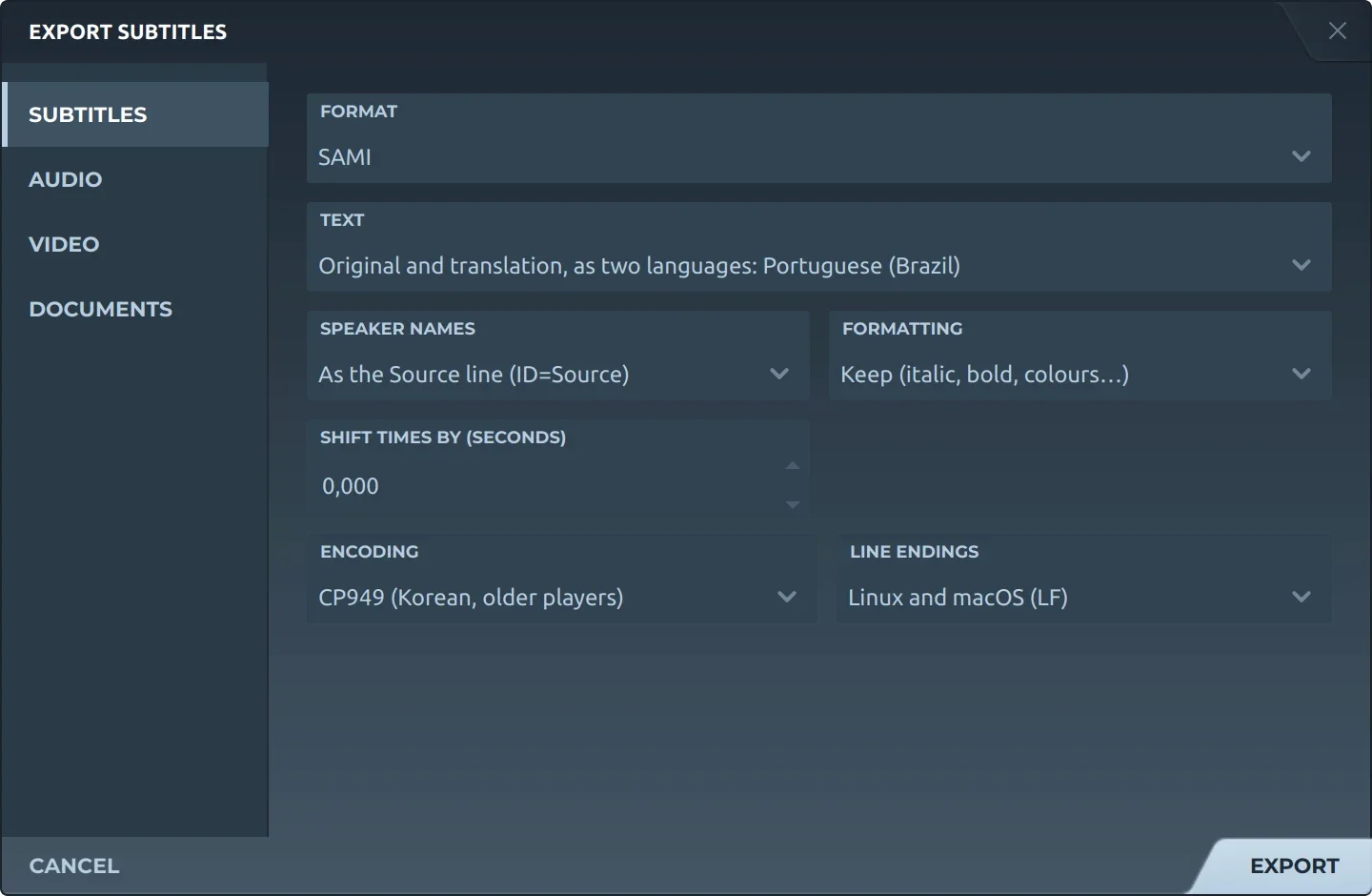
Export, then Subtitles and SAMI, offers:
- TextThe original, a translation, or both as two languages.
- Speaker namesLeft out, before the text (Thom: …), or as Source lines, SAMI's own way.
- FormattingKept, or removed.
- Shift timesEvery subtitle earlier or later by the same amount.
- EncodingUTF-8, with or without a byte order mark, UTF-16, Windows-1252, or CP949 for older Korean players.
- Line endingsLinux and macOS, or Windows.
The file is SAMI 1.0 as Microsoft's sample writes it, its tags in capitals: a class for each language, a sync where each subtitle starts and a blank one where it ends, and formatting as <I>, <B>, <U>, <S> and <FONT color>.
Give the file the video's name: tears-of-steel.smi beside tears-of-steel.mp4. Windows Media Player finds a .smi that way (a .sami it does not), and so do most players.
Trivia
Microsoft released SAMI in the summer of 1998, part of its accessibility work: captions on the PC, for people who are deaf or hard of hearing.
Microsoft's specification blanks a caption with a non-breaking space. FFmpeg drops any sync that holds one, so where another language goes on, Subtitld writes an empty paragraph instead.
Many Korean files name their class after the country, not the language: KRCC, where Microsoft's examples have ENUSCC.
Related formats
Open it in Subtitld with the video and retime it on the waveform.