
SubViewer
YouTube's simplest caption file: a timing line, the text, a blank line. SubRip without the numbers, with its times written another way.
At a glance
| Extension | .sbv |
|---|---|
| Media type | None registered |
| Specification | None. YouTube's help shows an example, and lists it among its basic formats. |
| Time precision | Milliseconds |
| Text encoding | UTF-8, plain, as YouTube asks. Subtitld reads other encodings too. |
| Styling | None: YouTube recognises no markup in it |
| Positioning | None |
| Speakers | >> NAME: before the text, as YouTube's example writes them |
| In containers | None. A file you upload beside the video. |
Anatomy of a file
Nothing but subtitles: no header, no numbers.
0:00:00.599,0:00:04.160
>> ALICE: Hi, I'm Alice

0:00:04.160,0:00:06.770
>> JOHN: and I'm John.
- 1 · Timing
Start, a comma, end. The hours in one digit, a dot before the milliseconds.
- 2 · Text
Lines of plain text. A blank line ends the subtitle.
The timecode
SBV or SubRip?
YouTube's help puts it plainly: the difference is how the times are written.
| SubViewer .sbv | SubRip .srt | |
|---|---|---|
| Number before each subtitle | — | 1, 2, 3… |
| Between the times | A comma | --> |
| Before the milliseconds | A dot: 0:00:04.160 |
A comma: 00:00:04,160 |
| Hours | One digit | Two |
| Formatting | None | Tags most players read |
| Made for | YouTube | Almost every player |
For YouTube either does. For anything else, SubRip.
Speakers
YouTube's example names a speaker after >>, the mark American captioners use where a new speaker begins:
0:00:04.160,0:00:06.770
>> JOHN: We own a bakery.
The mark goes where the speaker changes, not on every subtitle: the ones after it are the same person's until the next >>.
SBV in Subtitld
- Every subtitle's text and line breaks
- Speakers, as
>> NAME:where they change - Start and end, to the millisecond, in order
- Italic, bold, underline and colour
- Where a subtitle sits on the screen
- Translations beside the original
- Dubs, speakers' faces and colours
Save a .usfx project to keep them.
Opening an SBV file
Subtitld finds each subtitle by its timing line and reads:
- times with hours of any length, a comma or a dot before the milliseconds, and spaces around the comma between them;
- missing or extra blank lines, and SubViewer's
[br]as a line break; >> NAME:as the speaker, ready for dubbing, and the subtitles after it as the same speaker's, until the next>>;- any encoding, though YouTube asks for UTF-8.
Exporting SBV
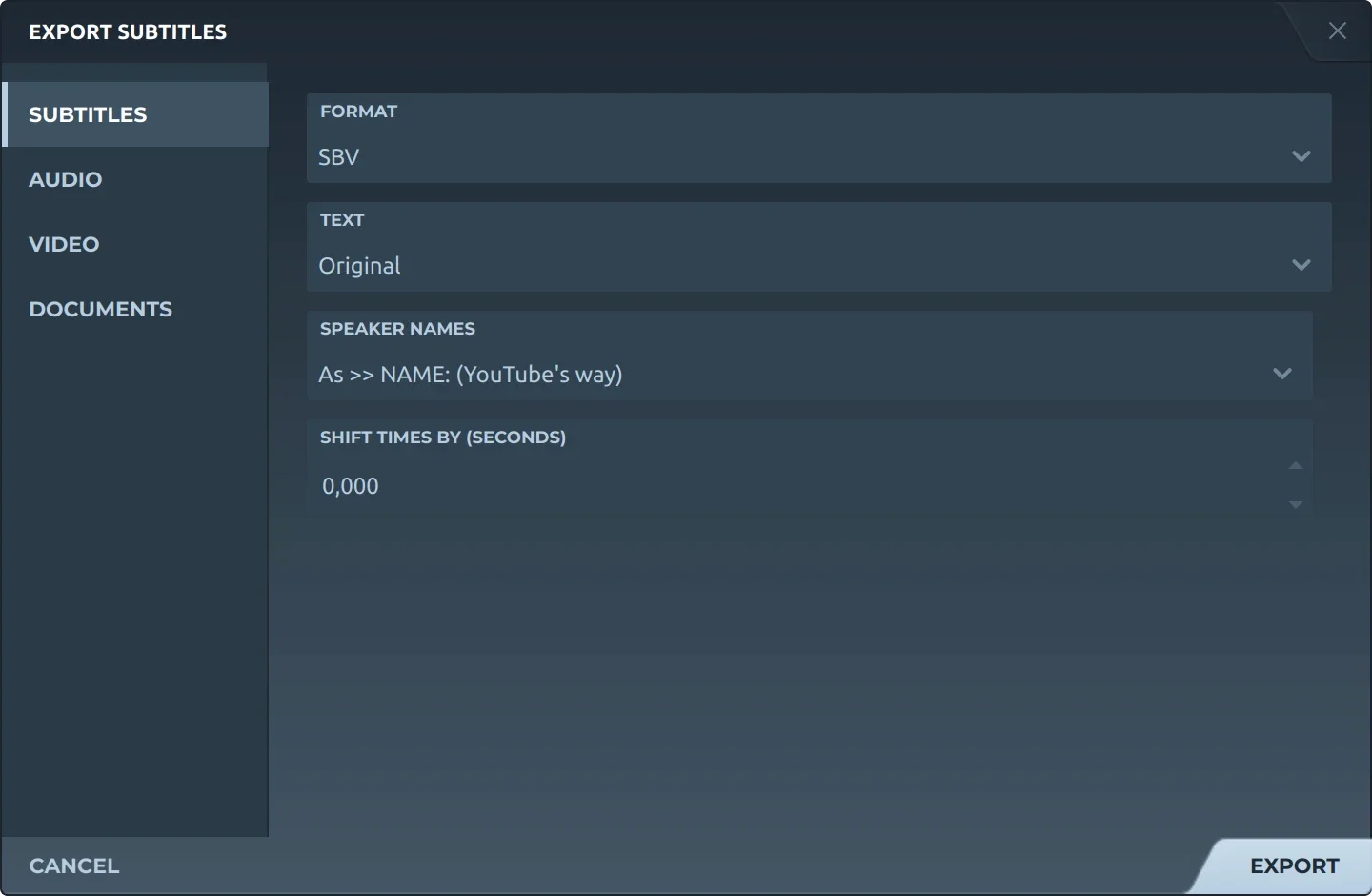
Export, then Subtitles and SBV, offers:
- TextThe original, a translation, or both, the translation below.
- Speaker namesLeft out, before the text (Thom: …), or as
>> THOM:where the speaker changes, YouTube's way. - Shift timesEvery subtitle earlier or later by the same amount.
There is no formatting choice: SBV has none to keep, so the text is written plain. The file is UTF-8, its times as YouTube writes them, the subtitles in order of start, with no empty ones and no blank line inside one.
In YouTube Studio, upload the file under Subtitles as one with timing.
Trivia
YouTube accepts SubViewer files as .sbv or .sub. The second is also MicroDVD's extension, which counts in frames instead.
YouTube lists SubViewer among its basic formats with SubRip: timing and text, no markup recognised.
The speaker mark in YouTube's example is the one US broadcast captions have long used for a change of speaker.
Related formats
Open it in Subtitld with the video and retime it on the waveform.